The Best Social Media Scheduling and Planning Tools
Creating an effective social media content plan while scheduling posts into the future can be a mammoth task that requires a significant amount of attention, especially when you are managing multiple social media profiles. For this reason, a social media planning and scheduling tool is a great way to help you organize and plan your posts. However, you might be wondering what functions this tool should have.
At its core, a social media scheduler for Instagram, Tiktok, Facebook, LinkedIn, Twitter/X, and YouTube (along with other social media channels) not only allows you to draft and publish posts, but it would also give you the option to plan and map out your posts for the days, weeks, or months ahead.
Many professionals and agencies today prefer using comprehensive all-in-one scheduling platforms that go beyond simple post publishing. These tools combine automation, collaboration, analytics, and AI-powered optimization to help teams stay efficient and work together strategically. In the long run, investing in the right scheduler saves more time and resources than relying on basic or single-purpose tools.
With that in mind, we will discuss the top 6 features that your social media post scheduler should have, whether it comes as part of an all-in-one social media tool or not. Then, we’ll provide you with a list of the best social media scheduling tools on the market.
Social Media Scheduler Tools: Features that you Need
Social media scheduling and planning tools are essential for marketing social media teams that produce a lot of content while simultaneously formulating a multipronged social media plan. However, the question that many may ask is how to pick the social media scheduler that will give you all the functions you think you need, as well as some features that you didn’t even think of yet.
If your company is looking for the best tool for scheduling social media posts, then you should be sure that it has the following functions and features.
- Plan, Draft, and Schedule All your Posts in One Place
- Integrated Media Library
- Time-Saving Automation
- Collaborative Approval Workflows for Teams and Clients
- Schedule Sharing
- AI Integration to Boost Efficiency
- Built-In Insights to Optimize Post Performance
1. Plan, Draft, and Schedule All your Posts in One Place
First of all, an effective social media scheduler must be centralized, meaning that social media managers should be able to plan, create, and edit social media posts and drafts on all their social media channels, from one single platform. This may sound simple at first, but remember that there are many different social media channels with different text length limits and recommended image sizes. For this reason, the best social media schedulers will allow you to draft your content while providing you with needed information about text length, image sizes, and other aspects of the post.
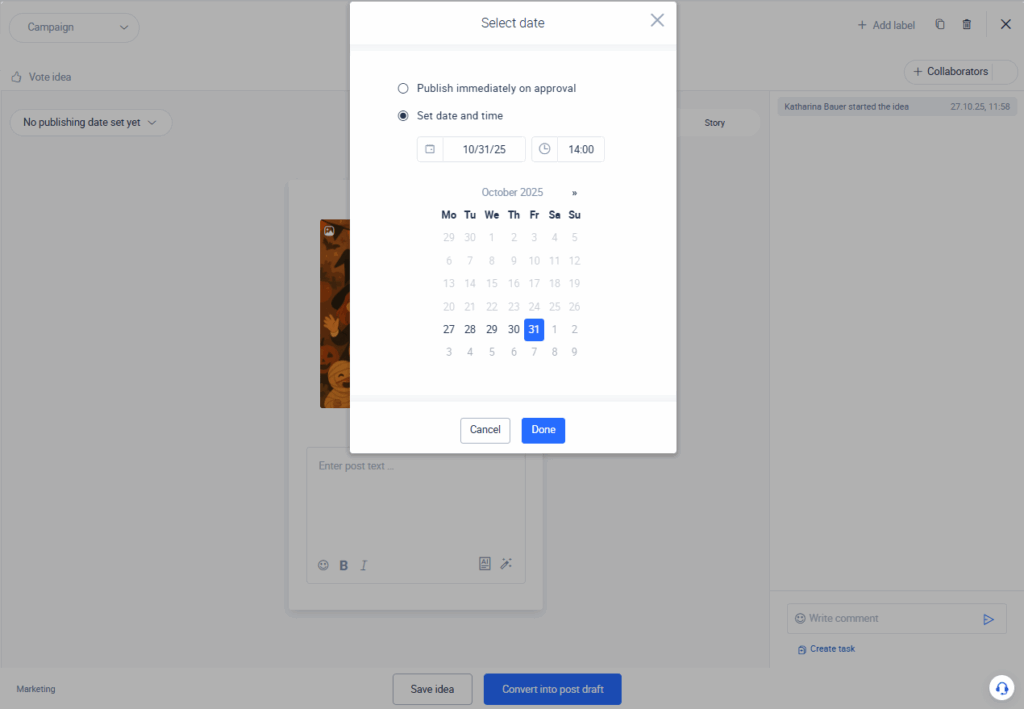
Having centralized control over all your social media profiles also means that you can set publishing times well into the future. This involves setting the post in a future time slot, posting immediately, or just creating a draft of various posts and showing up in a comprehensive content calendar, status, or list view. Additionally, for many who are using some sort of social media scheduler app, there may be a need for post targeting or even having the opportunity to write the first comment on a post. This is a crucial feature for those who are looking for more advanced posting features for their social media planning.
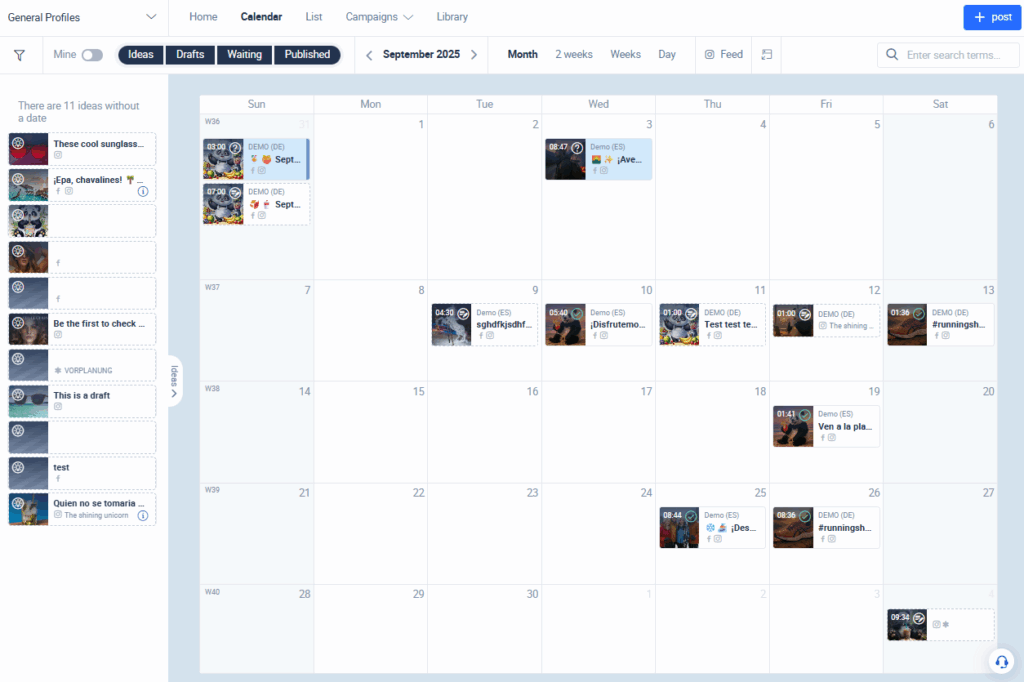
It is also important that, when discussing effective social media management, a post scheduler should provide a preview display of your posts. This is so you can confirm it looks like you planned when it is actually posted. Of course, this should be possible in the social media scheduling tool itself, ensuring that your review of all posts is quick and efficient.
2. Integrated Media Library
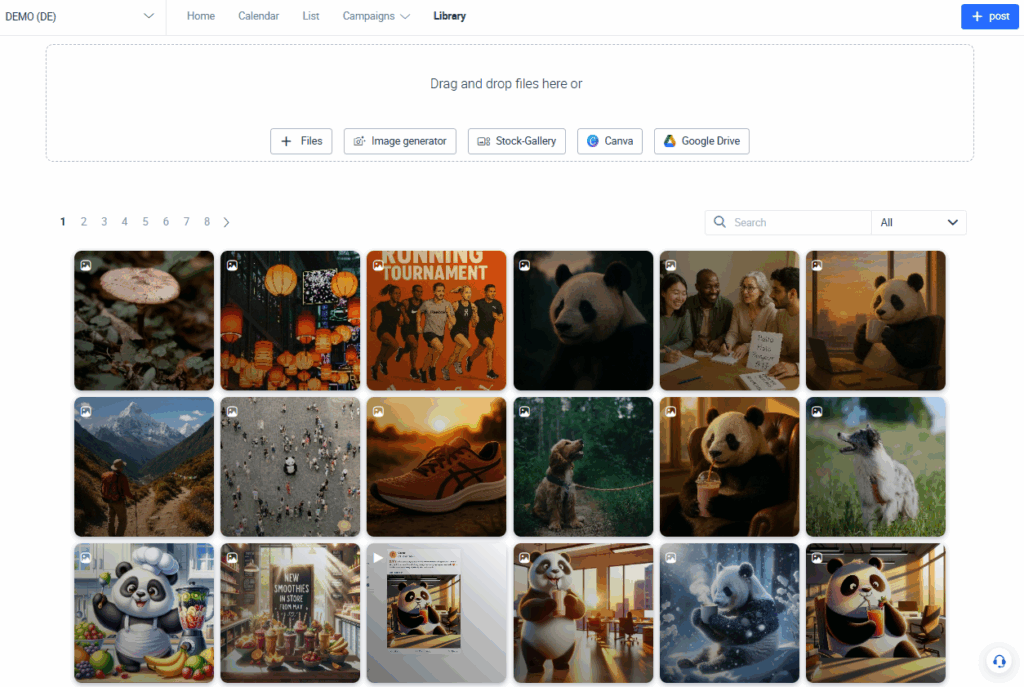
When you are using a social media posts scheduler, you expect it to do more than merely allow you to post content. Pictures and images, as we all know, are crucial for effective social media posts that drive reach and interactions.
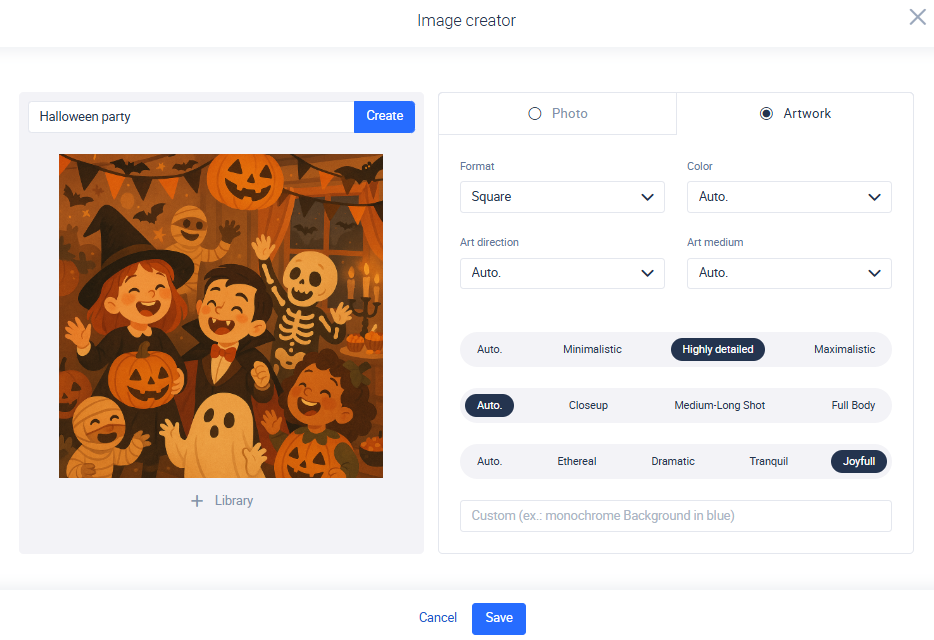
When you are looking to produce social media post content, your scheduler should allow for the easy upload and organization of the various images and pictures you want to use on your posts. Additionally, it is often also helpful if your tool provides your team with a free image library, which can be a great addition to your already existing selection of images. Additionally, an image generator can save you time. It enables teams to instantly create on-brand graphics or campaign visuals without relying on external design sources.
3. Time-Saving Automation
Many businesses are looking for a social media auto scheduler, but this term can mean different things for different businesses. So what features are we talking about in this case? First and foremost, there should be the option for auto-publishing during a specific time. Publishing automation features can allow social media teams to set a post for publication at a later time, without having to remember to actual click “post” when you want it to go online.
Second, there is, with many businesses, a need to post similar content across multiple social media platforms. It can be tedious to copy and paste text, upload images, and prepare posts across several social media platforms. The best social media scheduler tools would allow for easy, one-click transfer of images and content to your various posts on your social media channels when the content and images are the same. This dramatically increases efficiency when it comes to creating posts across multiple channels. This eliminates repetitive tasks and frees your team to focus on strategy and creativity.
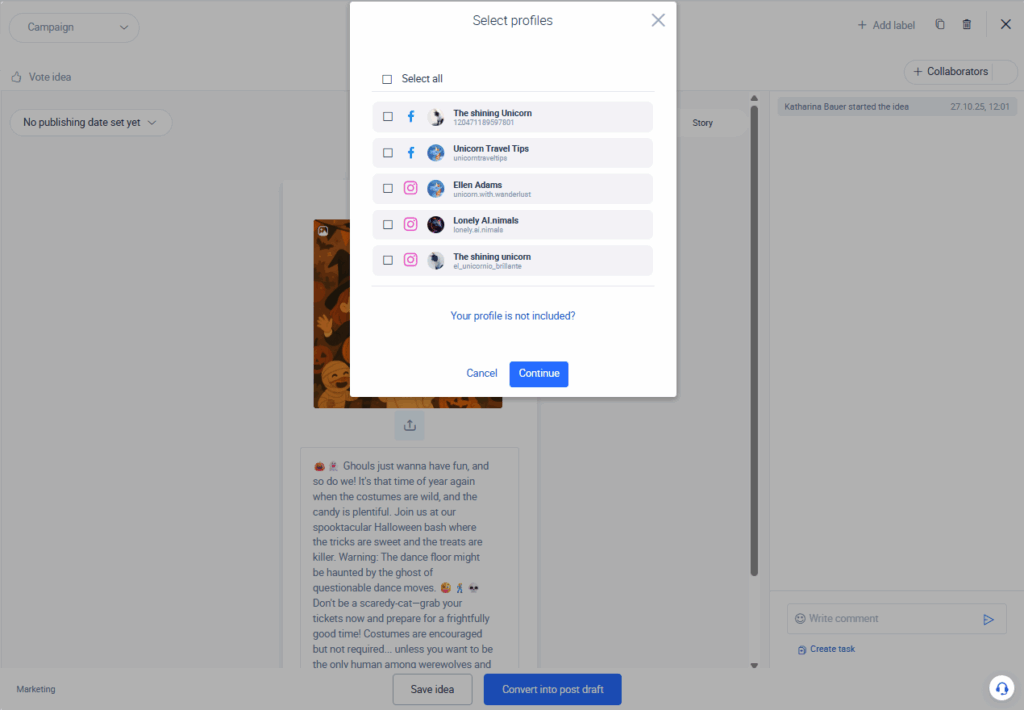
And of course, we cannot forget artificial intelligence. A good tool should also help you automatically generate images, captions, and relevant high-performing hashtags. This can provide you with a first draft that can save you time and can help you find inspiration for your content (we´ll explore this more in detail in the AI section below).
4. Collaborative Approval Workflows for Teams and Clients
For many businesses or agencies, there is a post approval process that needs to be completed before a post on social media is published. For this reason, social media scheduling tools should allow for an in-tool approval process to be set up and implemented.
The best tools allow teams to assign roles, leave feedback, and automatically notify approvers when a post is ready for review. Once approved, the content can either be published immediately or scheduled for a later time with no manual follow-ups or endless email threads required.
Generally, the best social media planners and schedulers would help users set up a notification process so that, once a post draft is finished, the approver is automatically notified. This initial draft of the post would either be confirmed for publishing or, alternatively, edits may be requested by the approver. There should also be an option to have the post published once it is approved or, if changes are required, for it to be published at a later time.
5. Client-Ready Content Calendar Sharing
Being able to create a social media schedule for the weeks ahead is most likely one of the main reasons why you are looking for a scheduling tool for your social media profiles in the first place. However, most teams would probably want to show their schedule and strategy with others who may not have access to their social media scheduler tool. Generally, it is convenient not only to be able to export the schedule or plan to email it to others in your company, but also to share a secure link that allows someone who not using the tool to access and view the schedule with just a click.
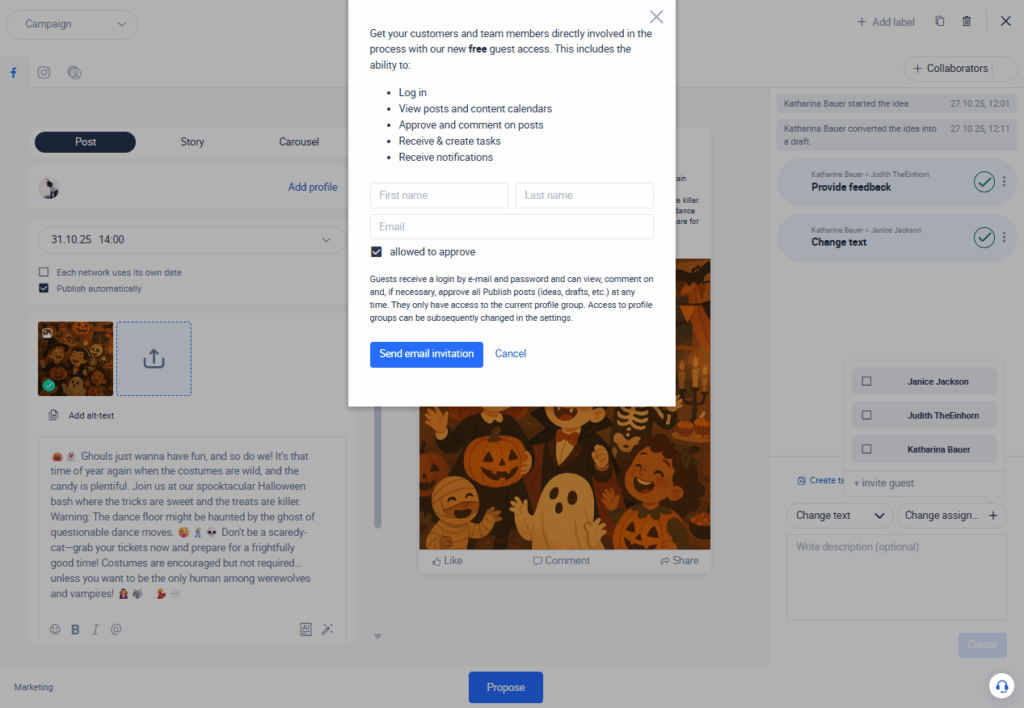
There are two primary scenarios related to why sharing your social media plan to those who don’t have access to your social media scheduler is essential. The first scenario is if you want to share your plans with other managers or C-level executives who don’t have access to the tool, but need to be kept in the loop related to social media planning. In this case, this would involve sharing drafts and asking for feedback from management.
This is also an essential feature for social media agencies who need to share the strategy and posting scheduler with their clients. Normally, clients who hire social media agencies don’t need full access to the social media tool of the agency. However, there is constantly a need to know what’s coming next on the social media schedule. A strong schedule sharing feature, such as what is mentioned above, is a great workaround in this case.
6. AI Integration to Increase Efficiency
Manual content creation can be one of the most time-consuming parts of social media management. But what if your scheduler could help you brainstorm, write, and optimize posts in seconds? The best social media posting scheduler now includes AI integration capabilities that help you generate captions, suggest relevant hashtags, and even create images. Whether you need a quick draft, or want to create a whole social media campaign, AI can help you save time without sacrificing quality.
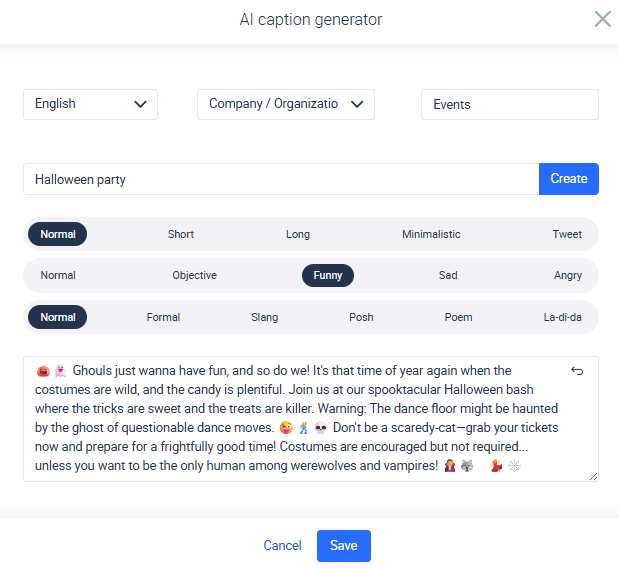
Imagine having a first draft ready with just a good prompt, or an image without even needing to use a camera. These features can save valuable hours of work while hitting every deadline without the usual stress. Its efficiency matters to your team. AI isn’t anymore a trend, but a must have in any modern social media scheduler software, if you want to stay productive.
7. Built-In Insights to Optimize Posts
Publishing without data is like driving blind, sometimes you´ll get lucky, but if you want consistent results, you need a clear view of what´s working. A good social media tool should help you optimize and improve your content through real-time insights. Built-in analytics allow you to make data-backed decisions when scheduling your posts. You can identify powerful keywords, determine your best time to post, find the right mix of hashtags, and write the perfect caption. It´s not just about tracking your performance, but using this data to create a smart content strategy.
Ideally, your social media analysis tool should offer benchmarking capabilities that allow you to analyze your competitors’ or industry peers’ top-performing content. This expands your content optimization database beyond your own posts, highlighting winning formats, styles, and engagement patterns in trending content within your niche. Understanding which posts resonate and why gives you the clarity to replicate success and continuously improve your content strategy. When choosing a scheduler, make sure it includes built-in insights and benchmarking features. They´re essential, if you want to make strategic decision, that most likely will work.
Best Scheduling Tool for Social Media
So now that you know what features are essential in a social media scheduler, you may now be looking for a social media scheduler comparison so you can choose a tool that is right for your needs. Below are 10 all-in-one social media tools that excel at scheduling and planning.
While there are plenty of tools on the market, it is important to keep in mind that the cheapest social media scheduler isn´t always the most efficient one. There are many other functions that businesses usually need with their social media tool that go above merely scheduling posts. For this reason, it is important to think carefully about all the various functions you need your social media tool to offer, which can include publishing, benchmarking and analysis, community management, and research functions.
Below, you’ll find a list of 10 top-rated social media scheduling tools. All of these tools offer strong scheduling features, and many include the advanced capabilities we covered above from AI integration to approval workflow. Each of them offers different strengths, so consider your goals, team structure, and content volume as you compare:
- Fanpage Karma
- Hootsuite
- Buffer
- SocialPilot
- Sprout Social
- Metricool
- Loomly
- Social Hub
- Sendible
- Swat.io
1. Fanpage Karma
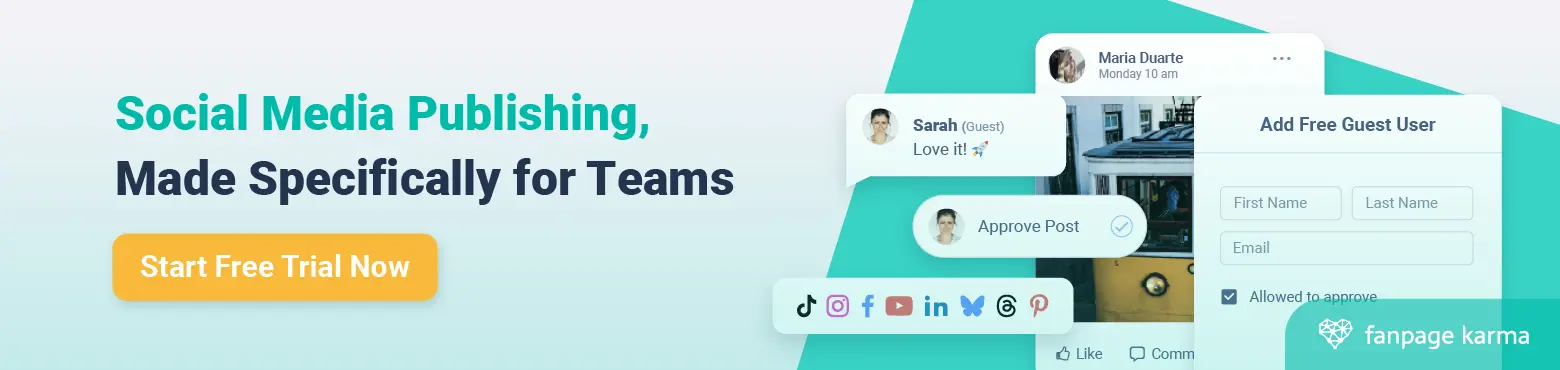
Fanpage Karma represents one of the best social media scheduler for agencies for two core reasons. First, it provides the scheduling functions as outlined above that include sharing your social media post schedule with your clients even if they don’t have a paid subscription to the tool. Second, it allows for unlimited profile tracking which can be a big benefit for agencies that need to perform extensive benchmarking analysis for their clients.
Additionally, it is an effective social media scheduling tool for both large and small businesses since it provides the functions that they need to make their work more efficient. As part of an all-in-one social media tool, Fanpage Karma offers an affordable social media scheduler that also allows you to analyze unlimited profiles which greatly strengthens your benchmarking analysis capabilities.
If you are looking for a social media scheduling tool with strong social media scheduling features, you can start using Fanpage Karma´s publishing free tool today. Fanpage Karma offers analytics, community management, content research features and monitoring features. Additionally, there is also a free weekly webinar that focuses on how to improve your social media performance with the tool.

2. Hootsuite
While scheduling is at the core of Hootsuite’s offering, it’s designed for teams that need more than a simple publishing calendar. With features like post approval workflows, campaign planning tools, and a centralized content library, Hootsuite is a strong fit for agencies and enterprises managing multiple accounts. If your social media operations demand structure, collaboration, and integration with analytics or ad tools, Hootsuite can act as a comprehensive command center—provided you’re ready to invest in its full suite of capabilities.
It also connects seamlessly with tools like Google Drive, Canva, and HubSpot, helping teams streamline content creation and performance tracking in one place. Customizable dashboards and a unified inbox simplify engagement monitoring, while advanced analytics support campaign optimization. Just keep in mind that Hootsuite’s steeper pricing and complexity may be more than smaller teams need.
3. Buffer
Buffer is known for its clean interface and ease of use, making it a go-to choice for small teams, startups, and solo creators. It supports scheduling across all major social platforms—including Instagram, Facebook, LinkedIn, X, and Pinterest—and offers intuitive tools like custom posting schedules, a visual calendar, and AI-powered caption generation. The experience is designed to reduce friction and help users stay consistent without being overwhelmed.
Beyond publishing, Buffer includes lightweight analytics, simple engagement tools, and a built-in landing page builder to drive traffic from social bios. Its transparent pricing and flexible plans make it ideal for users who want just the right amount of functionality without enterprise-level overhead. While it may lack advanced collaboration features, Buffer excels at what it promises: fast, focused, and reliable social media scheduling.
4. SocialPilot
SocialPilot remains a strong choice for small teams and solo marketers who want robust scheduling tools without unnecessary complexity. It supports Facebook, Instagram, LinkedIn, X, Pinterest, and TikTok, and includes essentials like bulk scheduling, content queues, and a collaborative calendar. With built-in performance metrics and basic client management features, it offers good value for users who don’t need enterprise-scale capabilities.
Where SocialPilot shines is in its affordability and focus on agency-friendly workflows. It enables easy client onboarding, white-label reporting, and team collaboration without locking key features behind premium tiers. While it doesn’t include AI or advanced analytics, it’s a dependable platform for teams that prioritize usability, speed, and budget-conscious growth.
5. Sprout Social
Sprout Social offers one of the most refined scheduling experiences in the industry, combining a clean calendar interface with deep collaboration features for teams. Marketers can plan, queue, and publish content across major platforms like Facebook, Instagram, Twitter/X, LinkedIn, and TikTok—all from one unified dashboard. What sets Sprout apart is its focus on workflow transparency: you can assign tasks, track approval stages, and manage asset libraries without jumping between tools. This makes it especially valuable for agencies and larger organizations juggling multiple accounts.
Beyond publishing, Sprout Social gives you a strategic view of your content performance with detailed analytics baked right into the scheduling dashboard. Smart features like optimal send-time prediction and campaign tagging ensure your posts land when your audience is most active. While it’s positioned at a higher price point, Sprout’s blend of publishing, planning, and analytics capabilities makes it a strong contender for teams who need more than just a queue—they need clarity and control.
6. Metricool
Metricool stands out as a lightweight yet powerful scheduling tool designed for creators, marketers, and small teams who want simplicity without sacrificing data. Its drag-and-drop calendar makes scheduling across many platforms feel intuitive, with bulk upload features and auto-generated previews that streamline repetitive tasks. You can even schedule blog posts and Google Business content, making it a versatile hub for all your publishing needs.
What makes Metricool especially useful is how it pairs content planning with real-time performance tracking. You can monitor post reach, clicks, and engagement metrics directly within the tool—and instantly adjust your strategy based on what’s working. It’s a great choice for those who want data-backed decisions without a steep learning curve, and its free plan makes it accessible for freelancers and small brands testing the waters of social scheduling.
7. Loomly
Loomly positions itself as a user-friendly content calendar built for structure-loving teams. Its scheduling tool covers all the essentials—Facebook, Instagram, LinkedIn, X, Pinterest, and YouTube—while offering intuitive workflows for drafting, reviewing, approving, and publishing posts. The interface guides you step by step, making it ideal for teams with strict editorial processes or clients who need a clear approval trail.
Where Loomly shines is in its collaborative features. You can assign roles, leave comments on drafts, and get automated post ideas based on trending topics or RSS feeds. Combined with analytics and a simple media library, Loomly helps marketing teams stay organized without overwhelming them. It’s a solid fit for agencies or growing businesses that want a structured, reliable scheduling system that also sparks creativity.
8. SocialHub
SocialHub is a scheduling and planning platform built with team collaboration in mind. Designed primarily for agencies, public institutions, and larger organizations, it streamlines the entire content lifecycle—from drafting and internal feedback to approvals and final publishing. The scheduling calendar supports all major platforms, including Facebook, Instagram, LinkedIn, and Twitter/X, and integrates seamlessly with media asset management to keep content organized and accessible.
One of SocialHub’s standout features is its customizable approval workflows, which make it easy to assign responsibilities, track progress, and avoid publishing errors. You can also tag posts by campaign or theme, helping teams stay aligned across multiple clients or channels. Combined with GDPR-compliant hosting and robust customer support, SocialHub is an excellent choice for those who prioritize security, transparency, and accountability in their social media planning.
9. Sendible
Sendible offers a well-rounded social media scheduling solution tailored for agencies managing multiple clients. Its calendar view makes it easy to schedule posts across Facebook, Instagram, LinkedIn, Twitter/ X, YouTube, and even Google Business Profiles—all from a single dashboard. With features like content queues, bulk scheduling, and smart post previews per platform, Sendible is built for speed without compromising precision.
What makes Sendible particularly effective is its focus on client collaboration. You can set up individual dashboards for each client, manage approvals, and white-label reports to match your agency’s branding. Built-in integrations with Canva, Dropbox, and Google Drive further simplify the content creation process. For teams juggling many brands or stakeholders, Sendible delivers scheduling power with a client-friendly workflow.
10. Swat.io
Swat.io is a robust scheduling and planning tool built for social media teams that demand structure, clarity, and collaboration. Its content calendar supports major networks like Facebook, Instagram, LinkedIn, Twitter/X, and YouTube, and offers a clear, color-coded view of your planned posts, drafts, and campaigns. The platform is especially strong in handling approval workflows, making it ideal for teams working in regulated industries or public institutions where compliance and traceability are essential.
What sets Swat.io apart is its deep integration of content planning and customer care. You can manage your publishing schedule while also coordinating community management tasks, ensuring no message or mention slips through the cracks. The platform also includes detailed roles and permissions, internal commenting, and audit trails—making it a favorite among teams with complex processes or multiple layers of review. If your social media strategy needs precision and accountability, Swat.io delivers.