How to Deal with Negative Comments on Social Media: A Practical Workflow for Your Team
- Know What You Are Dealing With Before You Reply
- Give Every Decision a Clear Owner
- Turn the Decision into a Response
- Public, Private, Moderate, or Wait?
- From Notification to Resolution: Setting up your Workflow
- Calm Language Does More Than Clever Copy
- Templates Should Provide Structure, Not the Final Answer
- Faster Replies Begin Before the Comment Arrives
- The Shortcuts That Create More Work
- Conclusion: Make Difficult Comments Manageable
A critical comment appears under a post. The community manager sees it, customer support may know what happened, and communications wants to protect the brand. Yet nobody is certain whether to reply, hide the comment, move the conversation, or wait. One notification has exposed unclear responsibilities, missing information, and moderation rules that looked much easier to apply before the decision became public.
Negative comments are a normal part of community management, but handling them well takes more than polite wording. Improvised decisions can lead to inconsistent replies, delayed handovers, unclear moderation choices, and forgotten follow-ups, all while other users watch the conversation unfold. A reliable approach begins by understanding what the team is dealing with, deciding who owns the next action, and choosing how the situation should be handled. This article will help walk you through what to consider when building your own workflow for dealing with negative comments on social media.

Know What You Are Dealing With Before You Reply
The first decision is classification, not wording. A frustrated tone does not automatically make a comment abusive, and criticism should not be dismissed as trolling simply because it is uncomfortable. Classification gives the team a shared starting point without reducing the person behind the comment to a label. It narrows the available actions while leaving room for context and judgment.
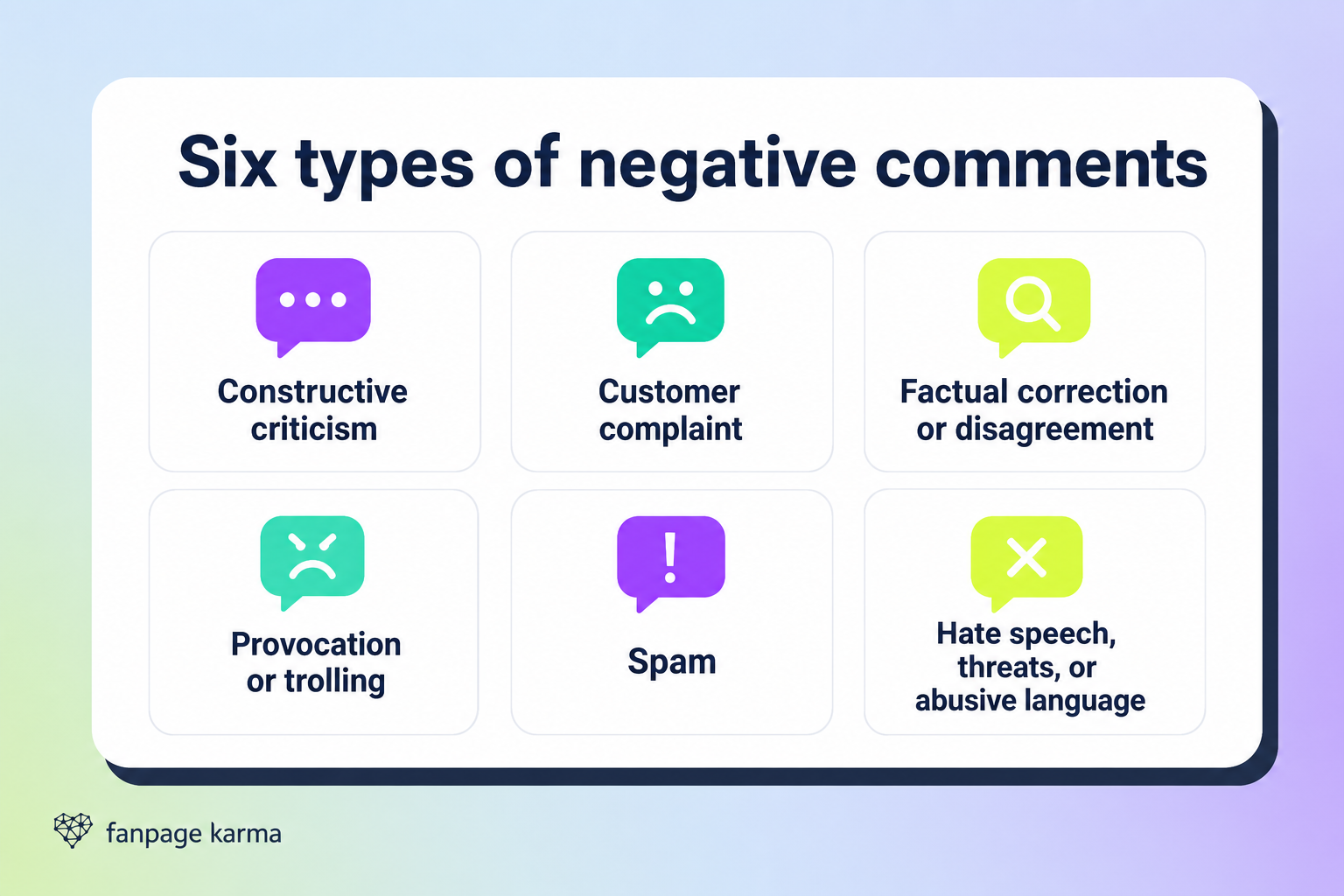
Negative comments differ in purpose, seriousness, and the action they require. A practical category system can begin with six common types, as seen below:
- Constructive criticism: Specific feedback that can be acknowledged, considered, and shared internally when relevant.
- Customer complaint: A negative experience or unresolved issue that may require support or additional information.
- Factual correction or disagreement: A challenge to a brand statement that should be checked before the team responds.
- Provocation or trolling: A comment focused on creating conflict rather than reaching a useful outcome.
- Spam: Irrelevant, repetitive, deceptive, or promotional content covered by the moderation rules.
- Hate speech, threats, or abusive language: Content that requires a stricter moderation or escalation route.
Constructive criticism and customer complaints may both sound negative, but they do not ask the same thing from the team. Criticism may need acknowledgment or an explanation, while a complaint may require support and an internal action. A factual disagreement should be verified before the brand defends its position. Spam, threats, and abusive language belong under the moderation rules rather than the standard customer response structure.
Context Can Change the Verdict
Remember that the last sentence rarely tells the whole story. Read the complete conversation, check earlier interactions, and identify what the person is requesting, criticizing, or claiming. The surrounding discussion may reveal whether the person wants help, an explanation, or an argument. It may also show that somebody on the team has already responded or that a factual point needs to be checked before any public statement is made.
Mixed cases need particular care. A person may describe a legitimate problem while also using abusive language, so the team cannot treat the entire comment as an ordinary complaint or ignore the underlying issue. Recognize both elements, give priority to the more serious concern, and escalate if the correct action remains unclear. The category provides direction, but the full context and the brand’s rules determine the final decision.
Your Strategy Has to Work on a Busy Day
Document the categories in a short internal guide with clear definitions, realistic examples, usual action options, and escalation triggers. It should be easy to find and specific enough that different colleagues can apply it consistently while conversations are active. A large policy document may contain the right information and still fail if community managers cannot use it quickly. The guide should support judgment, reveal unclear boundaries during training, and help the team move into the ownership decision with a shared understanding of the situation.
Give Every Decision a Clear Owner
Every incoming conversation needs a starting owner. Sensitive cases also need a defined route to the person or department with the necessary information or authority. Without that structure, several people may be informed while nobody remains responsible for the result. Clear ownership covers more than the first reply. It includes approval, moderation, internal action, documentation, and the final follow-up.
Community managers should be able to resolve familiar criticism and straightforward complaints within agreed boundaries. Cases involving disputed facts, legal concerns, threats, serious reputation issues, or moderation decisions need another route. Monitoring should also be a planned routine rather than an activity that happens when somebody remembers to check. Set a checking rhythm that matches the team’s resources and responsibilities instead of promising a universal response time the team cannot support.
The Ownership Questions That Prevent Delays
The ownership plan should answer the decisions that appear throughout the life of a comment, not only who types the first response. Make sure you clarify the following questions with your team:
- Who monitors each profile and during which periods?
- Who handles routine criticism and customer complaints?
- Who verifies disputed facts or provides specialist information?
- Which cases go to support, communications, legal, leadership, or another team?
- Who can hide, report, or remove content under the moderation rules?
- Who provides backup when the usual owner is unavailable?
- Who records open cases and confirms the final follow-up?
Backup roles matter because a sensitive comment should not stop moving when the usual contact is unavailable. The team also needs to know when responsibility transfers and when the community manager should continue tracking the case. A handover that changes the department but loses the owner has not solved the original problem.
A Useful Handover Contains More Than a Link
Every escalation needs a named owner and a specific request. Include the link or screenshot, relevant conversation history, assigned category, confirmed facts, action already taken, information still needed, urgency under the team’s rules, and the person responsible for the next step. This gives the receiving colleague enough context to act without restarting the investigation or asking the community manager to explain the entire case again.
Test the structure with a realistic comment before a difficult case puts it under pressure. Ask who should respond, who can approve the wording, who makes the moderation decision, and who confirms the follow up. If colleagues give different answers, the ownership plan still has a gap. Resolving that disagreement in advance is much easier than doing it while a public conversation is developing.
Turn the Decision into a Response
The final action and wording will vary, but the route from notification to resolution should remain consistent. A public reply may begin the process, while internal action and follow up are what finish it. The team needs to choose the right channel, write for the seriousness of the situation, and keep responsibility visible until the promised action is complete.
Public, Private, Moderate, or Wait?
A public reply can acknowledge a visible concern and provide information that may also help other readers. A private conversation is more appropriate when personal details or information about a specific case are required. Internal escalation is necessary when another person or department has the facts or authority to decide. Monitoring or choosing not to engage can also be appropriate when a reply would not create a useful outcome.
Moving a conversation privately should not become a way to make criticism disappear. The public response should briefly explain why more information is needed and where the person can continue. Moderation should follow established rules rather than personal discomfort. Choosing not to reply should also be a deliberate decision with a clear reason and an owner who can monitor what happens next.
From Notification to Resolution: Setting up your Workflow
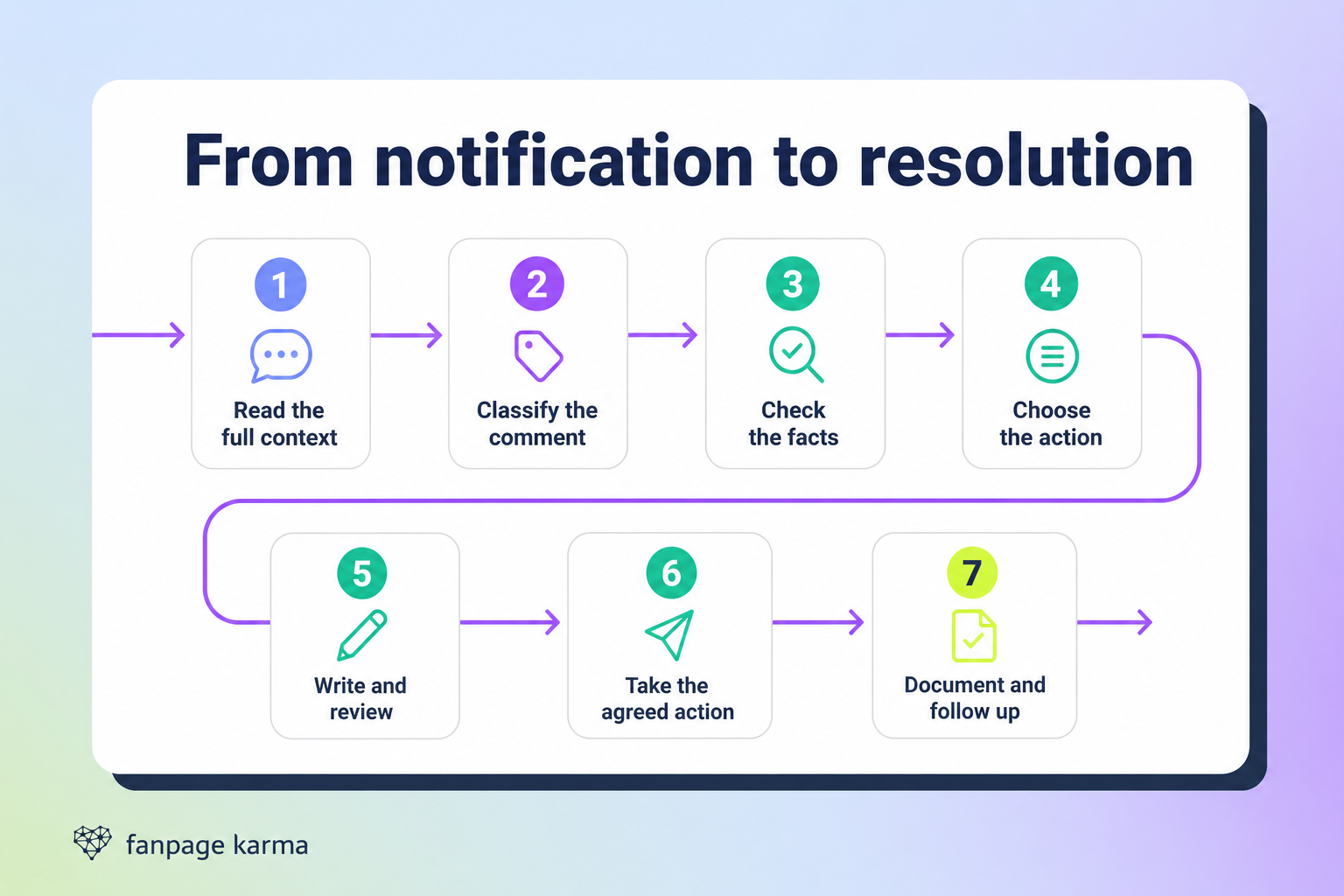
A short sequence gives community managers enough structure to make reliable decisions without slowing routine work. Here are some steps that can get you started if you are looking to build your own workflow:
- Read the full context: Check and understand the post.
- Classify the comment: Apply the shared categories and request a second assessment if the case is unclear.
- Check the facts: Separate confirmed information from assumptions and involve the relevant internal team.
- Choose the action: Decide whether to reply publicly, continue privately, escalate, moderate, monitor, or stop engaging.
- Write and review the response: Address the concern, match the tone to the situation, and use the approval route for sensitive cases.
- Take the agreed action: Publish the reply, transfer the case, or apply the moderation decision.
- Document and follow up: Record open tasks, complete promises, and update the case when it is resolved.
The sequence prevents the team from jumping directly from notification to reply. Checking context and facts first reduces repeated work and keeps unconfirmed promises out of public responses. Documentation gives colleagues a reliable record if the person returns later and makes the remaining action visible after the public conversation has moved on.
Calm Language Does More Than Clever Copy
Brand voice should remain recognizable, but situational tone needs to reflect the seriousness and emotional context of the comment. Humor may fit light frustration but feel dismissive during a serious complaint. Meaningful responses show that somebody has paid attention to the substance of the message. A short, specific reply is more useful than a generic line that could sit beneath any complaint.
Acknowledge the concern, use calm and plain language, and include only information the team has confirmed. Avoid blaming the person or another department, and end with a clear next step. If facts are still being checked, say so directly rather than filling the gap with vague wording. The aim is not to win the exchange but to make the next action clear.
Templates Should Provide Structure, Not the Final Answer
Flexible templates can help community managers remember the necessary elements without producing identical responses. The opening, factual information, and next step still need to match the individual case. If a response could be pasted beneath almost any complaint, it needs more specific language. A useful template reduces omissions while leaving room for the writer to acknowledge what the person actually said.
Practice with realistic comments and ask team members to classify the situation, choose the action, identify the owner, and draft a response. Comparing the results helps the team discuss why one tone or escalation route fits better than another. Training should develop judgment as well as familiarity with approved wording, because the difficult cases are usually the ones that do not fit a template perfectly.
Faster Replies Begin Before the Comment Arrives
Speed comes from preparation and organization rather than rushing. Keep flexible templates, a short escalation guide, current internal contacts, backup contacts, accessible moderation rules, examples of earlier decisions, and a central record of open cases easy to find. Assign somebody to keep these resources current. Preparation saves time only when the information is accurate and accessible.
As conversation volume grows, a specialized community management tool can bring notifications into one place and make incoming activity easier to organize. Appropriate AI support and automation may help with routine conversation work, while people continue to provide context and judgment. The practical value is reduced manual coordination, which helps comments remain visible, responsibilities stay clear, and open cases keep moving.
The tool should support the same decisions used by the team. It can help organize comments for classification, coordinate responsibilities across profiles, and keep conversations, actions, and follow ups visible. It cannot replace fact checking, tone decisions, or escalation judgment. When the same complaint appears repeatedly, share that pattern with the relevant department instead of treating every comment as an isolated exchange.
The Shortcuts That Create More Work
The most damaging shortcuts often look efficient at first. Treating every criticism as an attack avoids careful classification, while deleting uncomfortable opinions avoids the real moderation decision. Replying before checking the facts, using one script for every situation, or moving the conversation privately without explanation may save a few moments and create a larger problem. Unconfirmed promises and forgotten follow-ups simply move the confusion to a later stage.
When the same mistake keeps returning, look beyond the individual response. The weakness may sit in the category guide, ownership structure, moderation rules, training, or documentation. Fixing that underlying gap improves the next response as well as the current one. Repeated problems are a reason to review the workflow, not merely to write another template.
Conclusion: Make Difficult Comments Manageable
How to handle negative comments on social media comes back to three connected decisions. The team must understand what type of comment it is handling, know who owns the next action, and follow an agreed approach for the response, moderation, documentation, and follow-up. Shared categories, clear responsibilities, tone guidelines, training, practical resources, and suitable community management tools make that approach easier to apply. Tools provide organization and reduce manual coordination, while people provide context and judgment.
Take one recent negative comment and run it through the complete workflow with your team. Compare how colleagues classify it, whom they assign, which action they choose, how they would respond, and who completes the follow-up. Any disagreement shows where the process still needs to become clearer. The goal is not to remove every difficult conversation. It is to handle each one calmly, consistently, and with a clear next step.
If you are looking for a community management tool that can help you to better manage your workflow, then try Fanpage Karma’s free 14-day trial. You can also participate in the free weekly webinar to find out all this all-in-one social media tool has to offer social media and community managers.