How to Increase Your Instagram Save Rate: 9 Practical Tips

- Instagram Save Rate: Definition and Importance
- 9 Ways to Increase Your Instagram Save Rate
- 1. Learn from Your Most-Shared Content
- 2. Use Comments to Understand Audience Needs
- 3. Research Hashtags That Match Your Audience
- 4. Write Hooks That Promise a Useful Takeaway
- 5. Design your Content for Accessibility
- 6. Give People a Specific Reason to Save
- 7. Test Posting Times Against Your Audience’s Habits
- 8. Collaborate on a Resource Worth Keeping
- 9. Track Results and Refine Your Content
- Make Your Next Post Worth Saving
More Instagram saves can look like a clear win, but a bigger audience may be doing much of the work. The total alone does not show how strong the saving response was relative to reach, which is why save rate relates saves to the number of accounts reached. Seen that way, a lower-reach post can deserve a closer look than a widely distributed one with a larger save count. For your team, that difference matters since it helps you choose what to develop next without confusing wider distribution with a stronger saving response.
How can your Instagram posts earn more saves while also achieving a higher save rate? Understanding what people consider worth keeping is valuable because it helps your team identify content that serves a purpose beyond the initial encounter. In this article, you’ll find 9 practical tips to help you increase your Instagram save rate and assess whether your changes are working.
Instagram Save Rate: Definition and Importance
The Instagram saves metric records how many times people save a post for later, making it distinct from likes, comments, and shares. Saves add information that reach alone cannot provide since your content was not just seen, but considered worth keeping. This makes saves particularly relevant to resources intended for future use, such as checklists and tutorials. Instagram save rate measures saving activity in relation to reach. To calculate your save rate, you can do the math even yourself: saves ÷ reach × 100.
What is a good save rate on Instagram? Judge the percentage against a relevant benchmark and the post’s intended purpose, rather than labeling a post successful or unsuccessful from the rate alone. Choose an internal Instagram save rate benchmark, such as the average save rate of comparable posts from your own account, to put the percentage in context. Treat that comparison as a starting point for investigation, not a ready-made explanation of what needs changing. Use it to decide which subjects warrant further attention and whether an explanation needs more depth or a clearer presentation.
Be sure to define what the post should help people do, then interpret the saving response in that context. A discussion-focused post, for example, is not automatically unsuccessful because its save rate is lower. This keeps optimization connected to useful content, allowing each post to serve its intended purpose instead of pushing everything toward the same interaction.
9 Ways to Increase Your Instagram Save Rate
The following tips cover how to increase your Instagram save rate by identifying useful topics, presenting resources clearly, and evaluating changes without confusing unrelated effects. You do not need to redesign your entire publishing approach at once. Choose the part of the process that needs attention and use the corresponding tip as a focused starting point.
Use these nine practical tips to build a repeatable process for improving your Instagram save rate:
- Learn from your most-shared content
- Use comment tags to understand audience needs
- Research hashtags that match your audience
- Write hooks that promise a useful takeaway
- Design your Content for Accessibility
- Test posting times against your audience’s habits
- Collaborate on a resource worth keeping
- Track results and refine one change at a time
1. Learn from Your Most-Shared Content
Your most-shared posts can provide starting points for resources people may also want to revisit. Review them for recurring topics, recognizable problems, and practical takeaways. Look beyond the interaction count and ask why the post gave someone a reason to pass along. Was it a useful recommendation, an explanation of a familiar problem, or advice that applied to a colleague’s work? Those patterns can guide your next content idea, even though sharing and saving remain different actions.
Track shares and saves over the long term to see whether posts people pass along also earn saves. A high share count can flag a topic worth exploring, but it does not tell you how often that content was saved. Use a social media analytics tool to review both metrics separately across your post history, looking for recurring patterns rather than relying on one successful post. Comparing those patterns helps you identify topics that repeatedly attract both responses and shared ideas whose saving performance needs closer investigation. Use that distinction to decide what to develop or test next, rather than treating sharing success as proof that the same content is also worth keeping.
2. Use Comments to Understand Audience Needs
When someone mentions a colleague or friend in your comments, the surrounding conversation can reveal what makes the post relevant to their work or experience. Read that context rather than treating the mention alone as the insight. A recommendation, a shared frustration, and a request for help point toward different needs, so look at what the person is recommending, struggling with, or asking to understand. This can help you identify where an explanation needs more detail or where a practical resource could help someone work through the problem and make the content worth saving.
Use a shared community management inbox to keep conversations organized and make them easier for your team to review. Then create lists of potential posts that address the needs expressed in those comments and could give people something useful to save. Include the commenter’s original wording and context with each idea, but keep it distinct from your proposed response. This gives your content planning a clear starting point because of what the audience said and what you could create to help.
3. Research Hashtags That Match Your Audience
Build your hashtag shortlist around the content’s subject, the audience’s role, and the problem the post addresses. Together, those details help you describe not just what the post is about, but who could find it useful. Relevant hashtags can support social SEO by helping people discover content connected to the topics or problems they are looking into. That may bring your post to readers who recognize its relevance and want to keep it for later. The practical value is connecting discovery with usefulness: reaching people who have a reason to save the content, rather than focusing on audience size alone.

4. Write Hooks That Promise a Useful Takeaway
Use the opening to make the post’s practical benefit clear, so people can judge whether it will help them with a task they recognize. Put that benefit on the first slide of an Instagram carousel or within the opening seconds of a Reel. “Improve your Instagram content” describes a broad ambition but leaves the reader guessing what they will actually get. “Five checks before you publish your next Reel” is a more concrete hook because it names the task, identifies when the advice applies, and tells readers what kind of resource to expect. That specificity gives people a reason to continue and connects the information to a situation in which they could use it, rather than merely announcing a topic.
Check the finished resource before finalizing its hook, so the promise reflects the help the audience will receive rather than an attention-grabbing claim the content cannot support. If you promise checks, every part of the post should contribute to making them usable, with enough background to explain each instruction instead of drifting into a general discussion. That consistency is valuable because readers can move from the opening to the practical guidance without having to work out how it relates to the promised takeaway. A first carousel slide offering a review tool should therefore not lead into an unrelated message, just as a Reel promising a process should match the demonstration that follows. The hook’s role is to explain accurately why the content deserves attention, not to request a save before the audience has received the value it promises.
5. Design your Content for Accessibility
A useful resource needs to work both when someone first encounters it and when they return to find a particular detail. Accessibility is therefore more than a finishing touch. If the text is difficult to read, the order is unclear, or several instructions compete for the same space, the reader has to do extra work before using the information. Build the layout around the task the post supports. For a checklist or tutorial, that means making the practical steps easy to recognize and follow.
Before publishing, review the actual mobile preview rather than relying only on the design workspace. Use this compact checklist to identify problems that interfere with accessibility, reading, and finding information:
- Text is readable without zooming.
- Contrast is clear and the layout is uncluttered.
- Sections are concise and follow a logical sequence.
- Labels make individual steps easy to find again.
In an Instagram carousel guide, give each slide a clear role and label sections so readers can follow the steps without backtracking and find the relevant part when they return. If a slide feels crowded, clarify the wording or redistribute the information across the existing sequence rather than simply shrinking the text to make it fit. For a Reel, check the on-screen instructions against the moving demonstration. The words should explain the relevant action and remain easy to distinguish from the background. Preview the complete post to assess whether these elements work together as a coherent guide, not just individually readable fragments. The value lies in helping people understand and retrieve the information with less effort, not adding decorative complexity or assuming that a clearer layout guarantees a higher save rate.
6. Give People a Specific Reason to Save
Give your audience a concrete reason to save by connecting the resource to a task they may need to complete later. “Save this checklist for your next campaign” explains when the post could help, while “Save this post” asks for the same action without identifying its practical use. Make that connection after the content has delivered enough value for people to understand it, without assuming that more specific wording guarantees better results. Use the caption to describe the future use, the final carousel slide for a relevant reminder, or the closing part of a Reel to refer back to the demonstrated process. Choose the placement that fits the post rather than repeating the request throughout, because repetition can take space away from the explanation without making the reason to save clearer.
Make your call to action clear about what the resource can genuinely support, rather than simply telling people to save. If you describe the post as a checklist for their next campaign, it needs to be complete enough to use during that review, not merely introduce the topic. A saving prompt cannot supply practical guidance that is missing from the content itself. Develop the resource first, identify the task it actually helps someone complete, and then connect the saving request to that task. This makes the CTA useful because it points readers toward something they can do with the content, instead of becoming a generic instruction attached to every post.
7. Test Posting Times Against Your Audience’s Habits
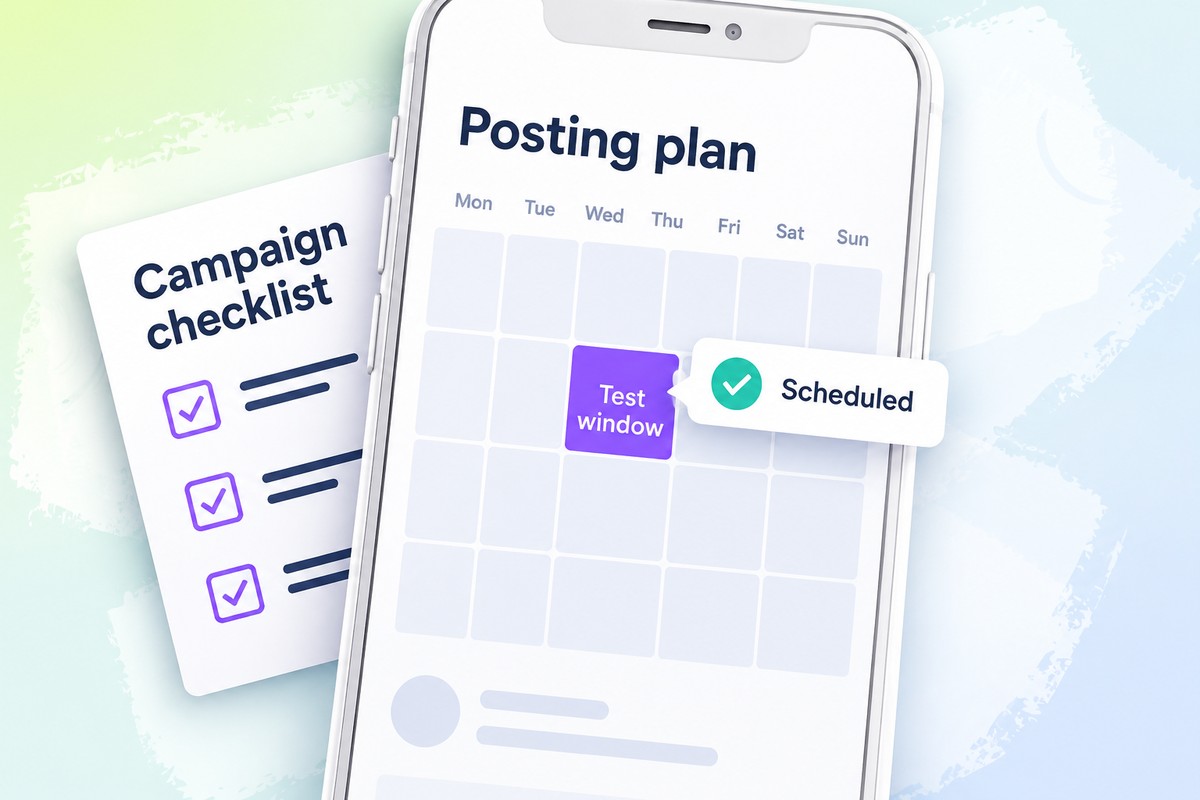
A posting-time analysis can help you review historical publishing frequency alongside the interaction patterns associated with those periods. Use it to identify promising windows for further testing, not to read save-rate conclusions into a general engagement chart. A scheduling tool can then help your team publish according to the planned windows, including times that are inconvenient for manual posting. The useful connection is between a documented hypothesis and consistent execution, rather than a claim that the chart has identified a universally best day or hour.
Pro tip: Choose a social media tool that helps you identify suitable posting times and schedule your content for those windows. The benefit is connecting the timing you select with when the post actually goes out, instead of leaving publication dependent on someone being free to post manually. Scheduling ahead makes it easier to follow your chosen publishing plan consistently. It also gives you a clearer basis for reviewing results against the windows you intended to test, rather than evaluating a schedule you did not consistently follow.
8. Collaborate on a Resource Worth Keeping
Choose a collaborator for their expertise and how well their audience fits the resource, rather than visibility alone. The practical value of the partnership is what it helps the reader do since relevant knowledge can make an explanation more complete or easier to apply. That contribution should be clear in the guidance itself, not simply implied by having another name attached to the post. Start by defining the task the resource will support and identifying the knowledge needed to explain it well. Then decide whether a creator, specialist, or complementary brand can contribute that knowledge, giving readers a useful resource rather than relying on visibility alone as a reason to save.
9. Track Results and Refine Your Content
An increase in saves and an increase in save rate describe different aspects of performance, so follow both alongside reach throughout your reporting history. A social media analytics tool can help you review how these metrics develop together, making it easier to examine saving activity in the context of distribution.
To investigate which content characteristics are associated with more saves, assign posts clear labels for resource type, topic, or hook style and compare the results of those groups. This is a tagging analysis, which allows you to make tags that describe editorial choices in your content, rather than people mentioning others in comments. A suitable analytics tool can help organize the groups and compare their available save data, making characteristics easier to examine than when every post is reviewed separately. Build your labels around a concrete question and use consistent definitions, so colleagues would classify the same post alike. If you want to examine opening promises, compare posts grouped by hook characteristic while retaining topic and format as context, then look closely at any stronger-performing group. When comparing save rates for Instagram carousels and single images, keep those characteristics in view rather than assuming carousel posts have the highest save rate. The value is identifying patterns that suggest which characteristics deserve further investigation, not declaring that one feature caused more saves when the posts may share other relevant features.
Make each test easier to review with a short record linking performance to the content choices behind it. Include the following details:
- The change being tested, such as the hook, layout, or saving request.
- The post’s topic, format, and intended use.
- Save rate, total saves, and reach.
- The result and the next editorial decision.

Make Your Next Post Worth Saving
Tracking your Instagram save rate is valuable when it helps you decide what to create next, not simply report a higher percentage. A useful checklist, well-explained tutorial, or practical reference supports a specific task, while a clear opening, readable presentation, and a purposeful saving request help readers recognize when they could use it. No format or collaboration guarantees the outcome, so assess posts using a clearly labeled calculation and relevant baseline, reviewing total saves alongside reach and distinguishing format popularity from performance. Look for repeatable patterns rather than one standout result to identify which resources your audience consistently considers worth keeping. Use that understanding to choose one element of an upcoming post to improve, turning the review into a concrete publishing decision.
An all-in-one social media tool can help you turn several of these tips into a process you can follow consistently. Bringing the work together makes it easier to put content decisions into practice and review what to improve next, instead of handling each recommendation in isolation. Get started with Fanpage Karma for free today. You can also attend one of our free webinars.