AI Content Repurposing Tools for Social Media: Turn One Idea Into Multiple Posts

What if your next five social media posts were already hiding in your last blog article? As a social media manager, you’re constantly expected to come up with fresh ideas. Instagram needs a carousel, LinkedIn needs an insightful post, TikTok needs a video, and your content calendar isn’t going to fill itself.
But creating something entirely new for every platform isn’t always necessary. You probably already have valuable content sitting in blog articles, webinars, podcasts, or videos. The challenge is finding new ways to use it. That’s where AI content repurposing tools come in. They help you transform existing material into fresh social media content without starting from scratch every time.
Let’s explore how content repurposing works, which AI tools can help, and how to turn one piece of content into multiple engaging posts.
What Is Content Repurposing?
Content repurposing means taking existing content and transforming it into a new format, style, or presentation so it can reach people in different ways.
Imagine you’ve published a detailed blog article about five common social media marketing mistakes. Instead of sharing the article link once and moving on, you could turn those five mistakes into an Instagram carousel, discuss one of them in a LinkedIn post, or create a short video explaining how to avoid the biggest mistake.
The original information stays valuable, but the way you present it changes. And that’s the important difference between repurposing and reposting. Reposting means sharing essentially the same content again. Repurposing means giving that content a new purpose. A detailed explanation might become a visual checklist, while an interesting statistic could become the starting point for a discussion.
AI makes this process easier by helping you identify useful information, rewrite text, develop new formats, and even create visuals. Instead of wondering what to publish next, you can start by asking, “What useful content have I already created?”

Before choosing which article or recording to reuse, review how your own social posts have performed. A social media analytics tool can help you identify topics that repeatedly attract saves or shares, alongside formats and openings that resonate with your audience. Use those patterns to shortlist related articles, webinars, or interviews from your archive. This gives you a starting point connected to demonstrated audience interest, rather than simply reusing whatever you published most recently.
For a more focused review, Fanpage Karma’s metric overview lets you examine individual posts and filter by post type, keyword, or metric. Filter for a keyword related to the article you are considering, then review the matching posts against the goal of your planned content. This adds a concrete selection step before AI drafting: use your existing post data to investigate the theme, then return to your original article or recording to develop the new version.
5 AI Content Repurposing Tools Worth Trying
Not every AI tool approaches content repurposing in the same way. Some are particularly useful for written content, while others specialize in video editing or visual design.
Here are five tools worth exploring, depending on the type of content you want to transform.
1. ChatGPT: Turn Long-Form Content Into Social Media Copy
Have a blog article full of useful insights but no idea how to turn it into engaging social media posts? ChatGPT can help you identify the strongest ideas and rewrite them for different platforms.
For example, you could paste a blog article about Instagram engagement and ask ChatGPT to create three LinkedIn post ideas, five Instagram hooks, or a short video script based on its key takeaways. You can also experiment with different tones, simplify complicated explanations, or ask for more creative approaches.
The trick is to give clear instructions. Instead of simply asking ChatGPT to summarize an article, explain who your audience is, which platform you’re targeting, and what you want the post to achieve.
Best for: Repurposing articles, newsletters, reports, and other written content into captions, post ideas, and scripts.
2. OpusClip: Transform Long Videos Into Short Clips
Recorded a webinar, interview, or presentation? There’s a good chance it contains several moments that could work as standalone social media videos. OpusClip uses AI to help identify and extract short clips from longer videos. It also offers features such as captions and adjustments for different video formats.
For example, a 45-minute webinar about social media trends might contain a particularly interesting explanation that could become an Instagram Reel, TikTok, or YouTube Short. Instead of manually searching through the entire recording, you can use AI to help find potential highlights. Of course, not every automatically selected moment will make sense without the surrounding context. Review the clips before publishing to ensure they tell a complete story.
Best for: Turning webinars, interviews, podcasts with video, and long recordings into short-form social media clips.
3. Canva: Give Existing Content a Visual Makeover
Sometimes your content doesn’t need a rewrite. It needs a different presentation. Canva is useful for turning written information into visual social media content, including infographics, graphics, and carousels. Its design tools and AI-assisted features can help you develop layouts and adapt designs to different formats.
Imagine you’ve written an article featuring seven tips for improving social media engagement. Rather than publishing another text-heavy post, you could turn those tips into a colorful Instagram carousel. Or take a useful checklist from your blog and transform it into a graphic your audience can save for later.
Canva is particularly helpful when you want to make information easier to understand at a glance.
Best for: Repurposing tips, lists, statistics, and educational content into visual social media formats.
4. Descript: Repurpose Podcasts and Videos
If you regularly create podcasts, interviews, or video content, Descript offers another approach to repurposing.
One of its most useful features is text-based editing. You can work with a transcript to edit audio and video, making it easier to find and refine interesting sections. Descript also offers AI-assisted features for creating shorter social clips. For example, imagine recording a 30-minute interview with an industry expert. You could identify three valuable insights, edit them into shorter clips, and share them separately on social media.
While OpusClip emphasizes generating short clips from longer videos, Descript is particularly useful when you want more control over editing the original recording.
Best for: Editing and repurposing interviews, podcasts, and video recordings into shorter content.
5. Fanpage Karma: Turn Blog Articles Into Social Media Carousels
What if you could turn an existing blog article into an Instagram carousel simply by sharing its URL? With the AI Post Creator in Fanpage Karma Publish, you can use existing content as the starting point for a new social media post.
Instead of manually extracting the key points, writing every slide, and creating visuals individually, the AI helps develop a carousel concept and generate a draft. You can review the suggested outline, make adjustments, and refine individual slides after generation.
But Fanpage Karma doesn’t stop at content creation. Once your posts are ready, you can schedule them and automatically publish them across your social media channels, all from one place.
This makes Fanpage Karma especially useful for social media managers who want to repurpose existing content and streamline their entire workflow, from creating posts to publishing them.
Best for: Turning existing articles and ideas into AI-assisted social media posts, then scheduling and publishing them across multiple platforms.

How to Turn a Blog Article Into an Instagram Carousel With Fanpage Karma
Let’s look at a practical example. Imagine you’ve just published a blog article containing several useful tips. You want to share those insights on Instagram, but a simple link post won’t communicate everything the article has to offer. Here’s how you can repurpose it using the AI Post Creator in Fanpage Karma Publish.
Step 1: Start with your blog article
Open the AI Post Creator and paste the URL of an existing article. This gives the AI source material to work with instead of requiring you to write an entirely new prompt.
Step 2: Generate a carousel idea
The AI uses the article to develop a social media content idea. You can review the proposed concept and decide whether it captures the message you want to communicate.
Step 3: Review the outline
Next, the Post Creator develops a slide-by-slide outline. This is your opportunity to adjust the structure, clarify the messaging, or change the direction before generating the visuals.
Step 4: Create and refine your carousel
Once you’re happy with the outline, the AI generates a carousel draft with text and images.
This way a blog article became a seven-slide carousel draft. Individual slides could then be edited to improve the wording or visuals. The result is a starting point for a social media post built from content that already exists.
And that’s the real advantage of repurposing: you’re not trying to invent another idea. You’re finding a new way to communicate an idea you’ve already developed.
One Blog Article, Five Different Social Media Posts
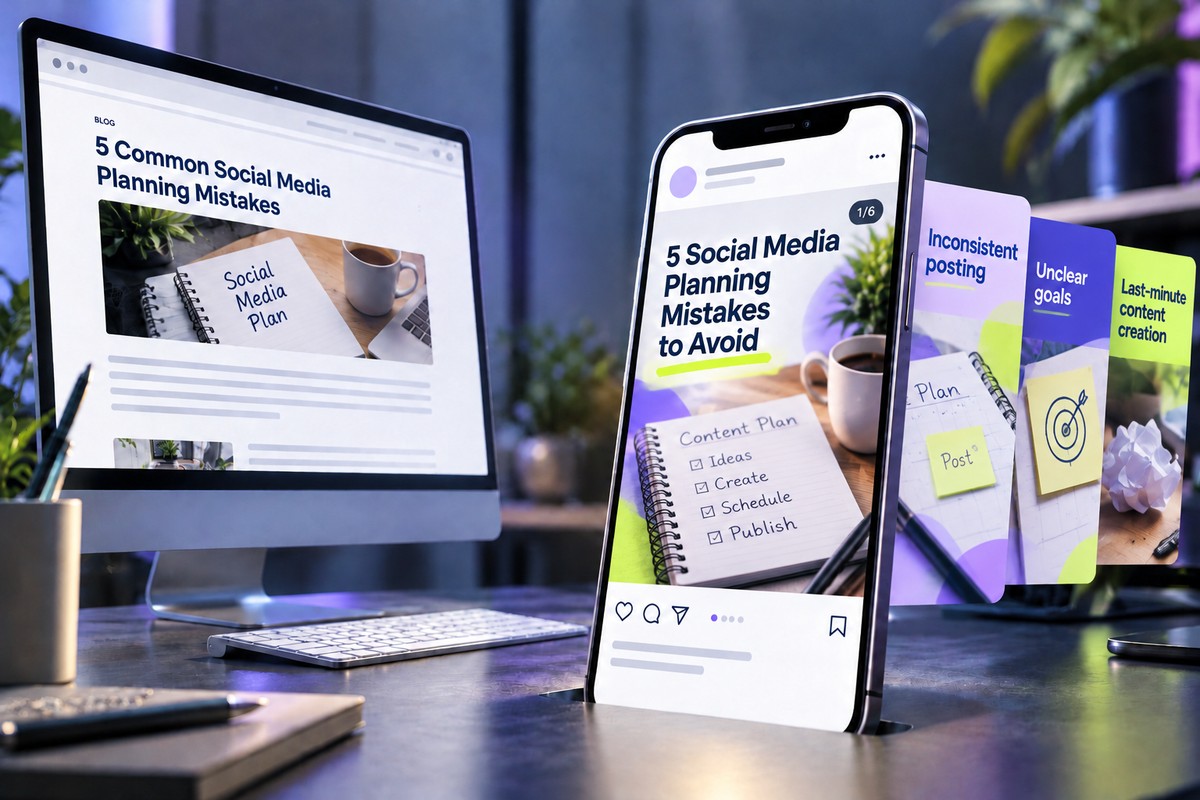
A carousel is just one possibility. Let’s say you’ve written a blog article titled “5 Common Social Media Planning Mistakes.” That single article could become several different posts, each designed for a specific platform or purpose.
1. Instagram carousel: Five mistakes to avoid
Turn each mistake into a separate slide with a short explanation and practical solution. Use Fanpage Karma’s AI Post Creator to help develop the carousel.
2. LinkedIn post: Start a conversation
Choose one mistake and explore it in more depth. For example:
“A full content calendar doesn’t necessarily mean you have a good content strategy.”
Use ChatGPT to help turn that observation into a thought-provoking LinkedIn post with a question that encourages discussion.
3. Instagram Reel: Explain one mistake
Pick the mistake your audience is most likely to recognize and create a short educational video about it.
ChatGPT could help draft the script, while a video editing tool could help prepare the final clip.
4. Instagram Stories: Make it interactive
Turn one of the article’s insights into a poll or quiz.
For example: “Do you plan your social media content weekly or monthly?”
Follow the question with a practical tip from the article.
5. Infographic: Create a quick reference
Summarize all five mistakes in a single visual checklist using Canva.
This gives your audience something useful they can save and revisit.
Notice how these posts aren’t identical copies of the original article. Each one presents the information differently and gives the audience a reason to engage.
That’s what makes content repurposing effective.
You do not have to give each of these five formats equal space in your calendar. With a social media analytics tool that supports format analysis, compare how often you use each format with its average results per post on that platform. A format appearing frequently in your output is not necessarily the one associated with the most interaction. Use this comparison to decide which adaptations deserve another test, rather than assuming that a carousel or a video is always the right choice.
How to Make AI-Repurposed Content Actually Good
AI can generate a surprising amount of content from a single source. But more posts don’t automatically mean better posts.
Before publishing, take a moment to check whether your repurposed content actually works:
- Adapt your message to the platform. A detailed LinkedIn post might work well as a professional discussion, but that same text probably won’t make an engaging Instagram carousel. Think about how people consume content on each platform.
- Keep your brand voice. AI-generated captions can sometimes sound generic. Adjust the wording, add your personality, and make sure the content feels like something your brand would actually publish.
- Check the facts. When AI condenses a long article into a short post, important details can disappear. Make sure the simplified version still communicates the original information accurately.
- Add something valuable. A personal observation, practical example, or interesting question can make repurposed content feel fresh rather than recycled.
And perhaps most importantly, ask yourself: Would this post still be useful to someone who has never seen the original article? If the answer is yes, you’re on the right track.
Once your posts are ready, use historical posting data to decide when to publish them. A posting-time analysis can reveal which days and hours have been associated with stronger interaction. In a chart like the one below, larger dots represent more published posts, while greener dots indicate higher interaction. Use these insights to choose suitable publishing times and schedule your posts instead of publishing everything manually.
After publication, tagging analysis can help you understand which types of repurposed content resonate with your audience. Label posts by topic, tone, or creative approach. For example, you could compare a checklist-style post with a discussion-focused post about the same social media planning mistakes. By comparing their performance, you can identify useful patterns and improve your future content. Remember that these patterns are insights to test further, not proof that one approach caused better results.
Conclusion: Your Next Post Might Already Exist
Creating social media content doesn’t always have to begin with a blank page. AI content repurposing tools like ChatGPT, OpusClip, Canva, Descript, and Fanpage Karma can help you turn existing material into new formats, reach audiences in different ways, and get more value from the content you’ve already created.
The key is choosing the right tool for your task and making sure every new post offers something useful. So before brainstorming your next big content idea, take another look at what you’ve already published.
Your next great social media post might not need a new idea. It might just need a new format. Start using Fanpage Karma for free and discover the full potential of your content.