
Set up the Hate Speech Detector
In the settings under “Engage”, you can set up the Hate Speech Detector as a “Little Helper”. To do this, first click on “+ Little Helper” to add another helper.
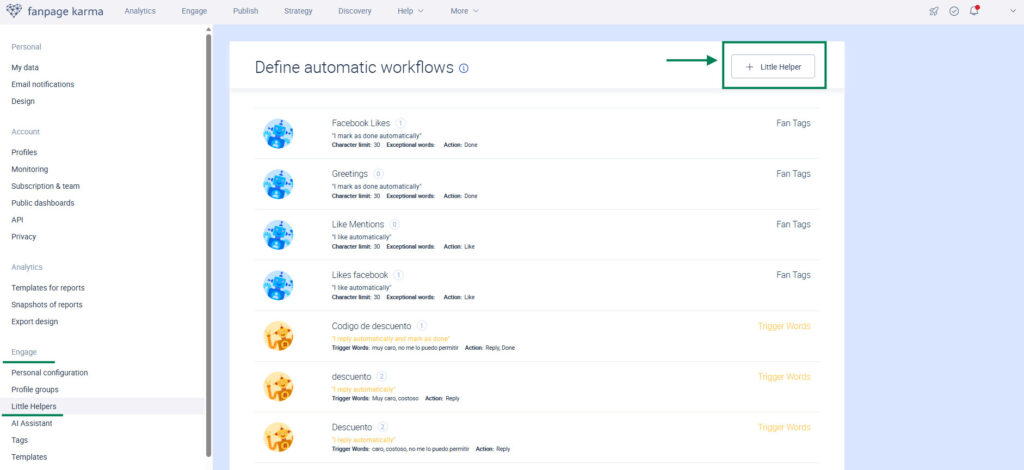
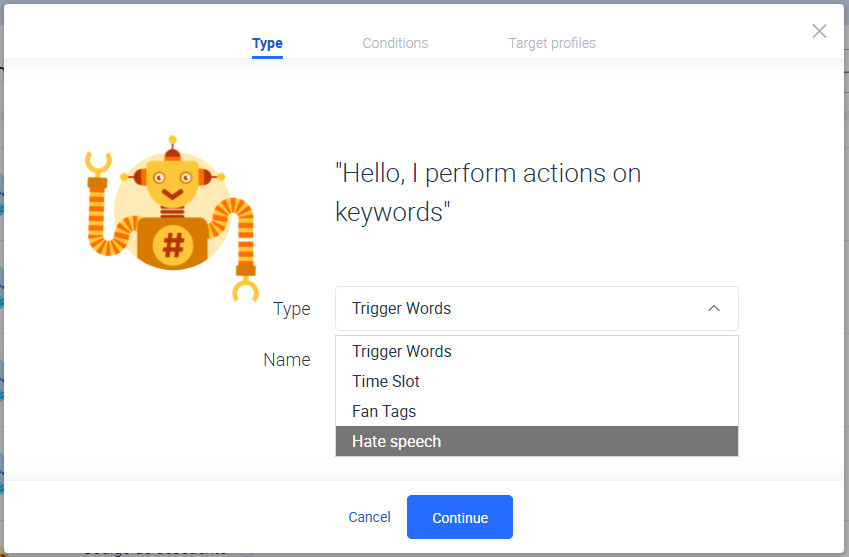
Next, select the “Hate speech” option listed under “Type” and click “Continue”.
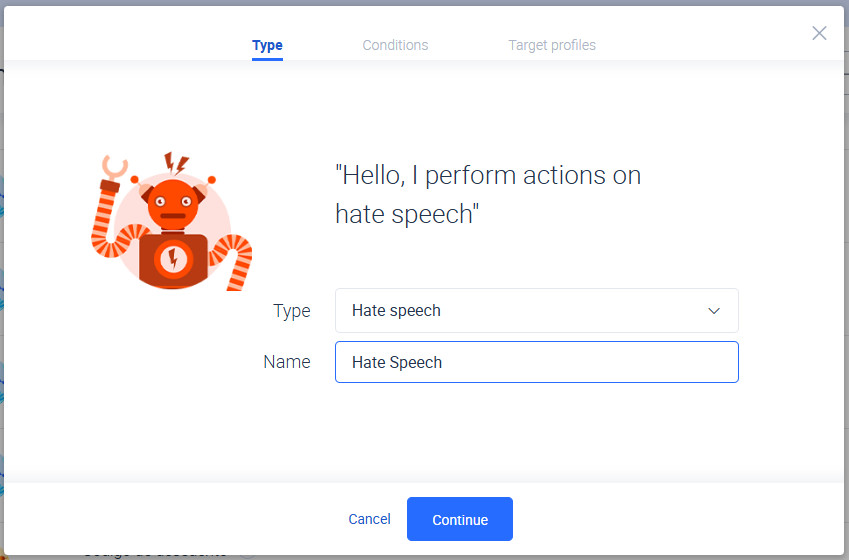
In the next step, you can choose a name for your Hate Speech Detector. Then click “Continue.”
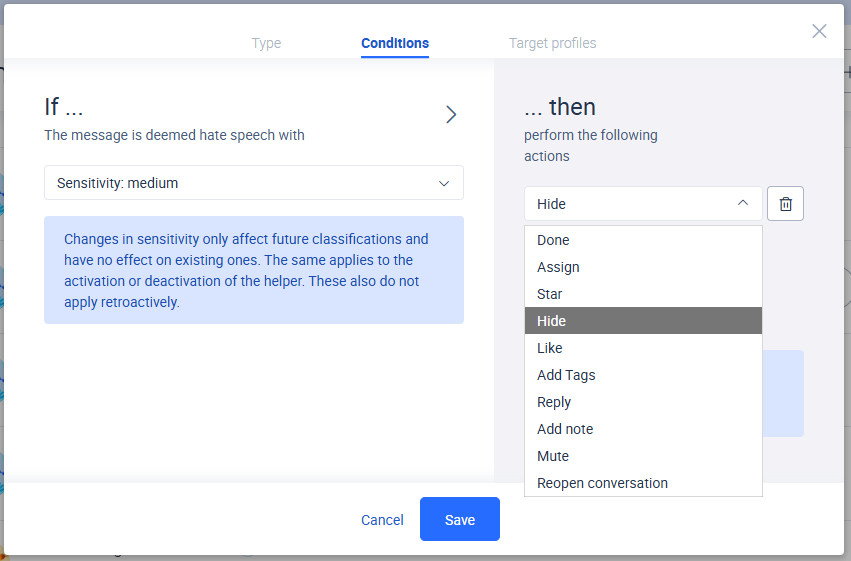
Now, define the sensitivity level used to detect and filter messages classified as hate speech.
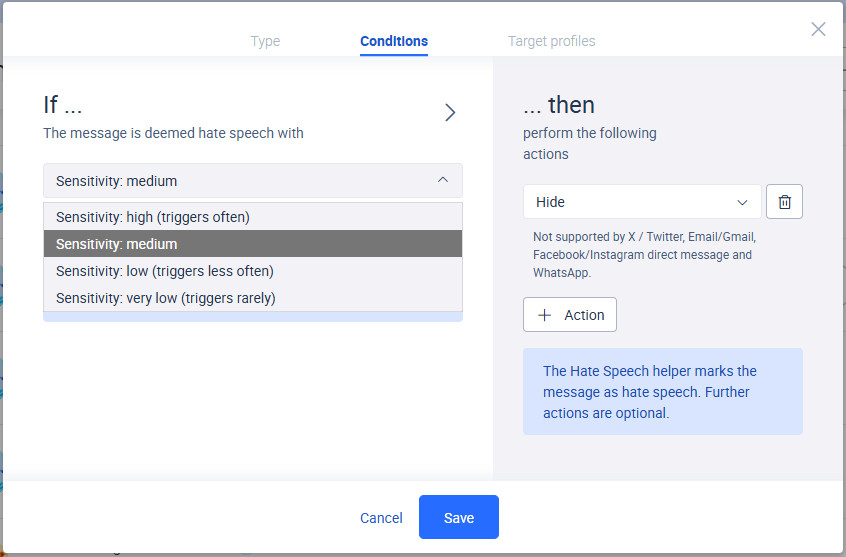
On the right-hand side, you can choose which action should be performed when a message is identified as hate speech. In this example, we select “Hide” to protect the community and give community managers time to review the message. Then click “Save” to apply the setting.
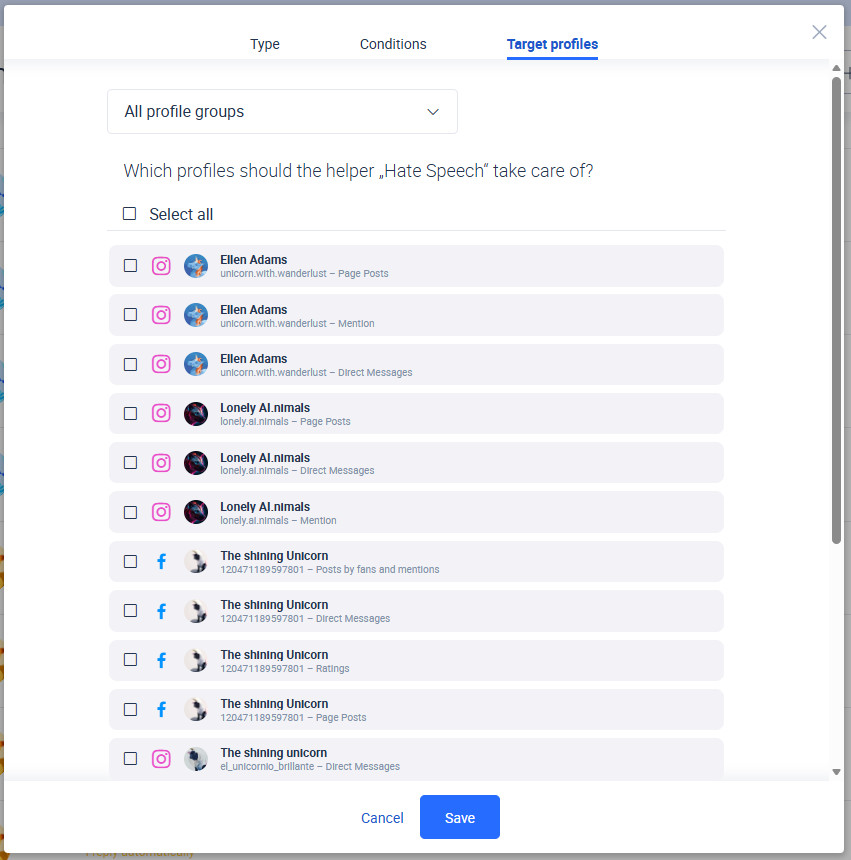
In the final step, select the profiles you want the Hate Speech Detector to monitor for hate speech.Tick the boxes next to the profiles you want to select, then click “Save” to complete the setup.
Your Hate Speech Detector is now set up and ready to use. You can update or edit your Hate Speech Detector settings at any time in the Little Helpers section. This is particularly useful if new profiles are added or if you want to adjust the sensitivity of the helper.
Important
Only one Hate Speech Detector can be created.